Header
The header of the pagebuilder is described below.
There are two different views. The edit area and the preview area.
The edit area is for creating the page.
The preview area shows what the page will look like.
Edit area
The following buttons are available when opening the pagebuilder:

1. Margin bottom of rows
This allows you to adjust the spacing from the row below to customize the layout.
2. Insert row from clipboard
This allows you to paste a row you've copied from another page at the end. You must first copy the row using the “Copy this row to clipboard” button.
3. add row
Adds a row at the end.
4. close all
Closes the edit area of all rows, columns and cells.
5. close all
Closes the settings area of all cells.
6. close all rows
Closes all rows.
7. preview
Goes to the prieview area.
Preview area
When the preview button is clicked, the following header opens:
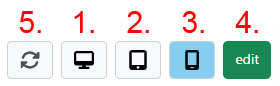
1. fullscreen
Displays the preview in fullscreen mode.
2. tablet
Displays the preview in tablet mode.
3. smartphone
Displays the preview in smartphone mode.
4. edit
Goes back to the edit area.
5. rotate
This button can be used to select the view between portrait and landscape format. The button is only displayed when the view is set to tablet or smartphone.